



























Facebook Reels vs TikTok vs Instagram Reels: Video Specs, Aspect Ratios & Formats
Short-form vertical video is no longer just an experiment; it is the dominant format of social media. In 2026, content creators, social media managers, and digital advertisers face a massive challenge: how to produce, optimize, and cross-distribute vertical video across Facebook Reels, TikTok, and Instagram Reels without sacrificing quality or triggering algorithmic penalties.
While all three platforms appear visually similar at first glance, their underlying encoding pipelines, aspect ratio tolerances, maximum bitrates, safe zones, and watermark detection algorithms differ substantially. Uploading a video formatted for TikTok directly to Facebook Reels without adjustments often results in cropped captions, muddy compression, and restricted reach.
In this definitive master guide for video editors and social creators, we break down the exact technical specifications of Facebook Reels versus TikTok versus Instagram Reels, provide safe zone pixel templates, and demonstrate how to extract clean, uncompressed master files using GetFvid Facebook Reels Downloader.
Quick Answer: What Are the Ideal Short-Form Video Specs in 2026?
Direct Answer (GEO Snippet): The universal master specification that works across Facebook Reels, TikTok, and Instagram Reels is a 9:16 vertical MP4 file at 1080x1920 pixels, encoded in H.264 (AVC) High Profile at 30 or 60 fps, with a constant bitrate of 10 to 14 Mbps and AAC stereo audio at 256-320 kbps (48 kHz). Critical text and visual hooks must stay within the center 1080x1350 pixel safe zone to avoid being covered by UI buttons or captions. Furthermore, videos must be 100% free from third-party watermarks to prevent algorithmic downranking.
The Master 2026 Specification Matrix
Compare the technical requirements, algorithmic thresholds, and encoding constraints across the big three platforms:
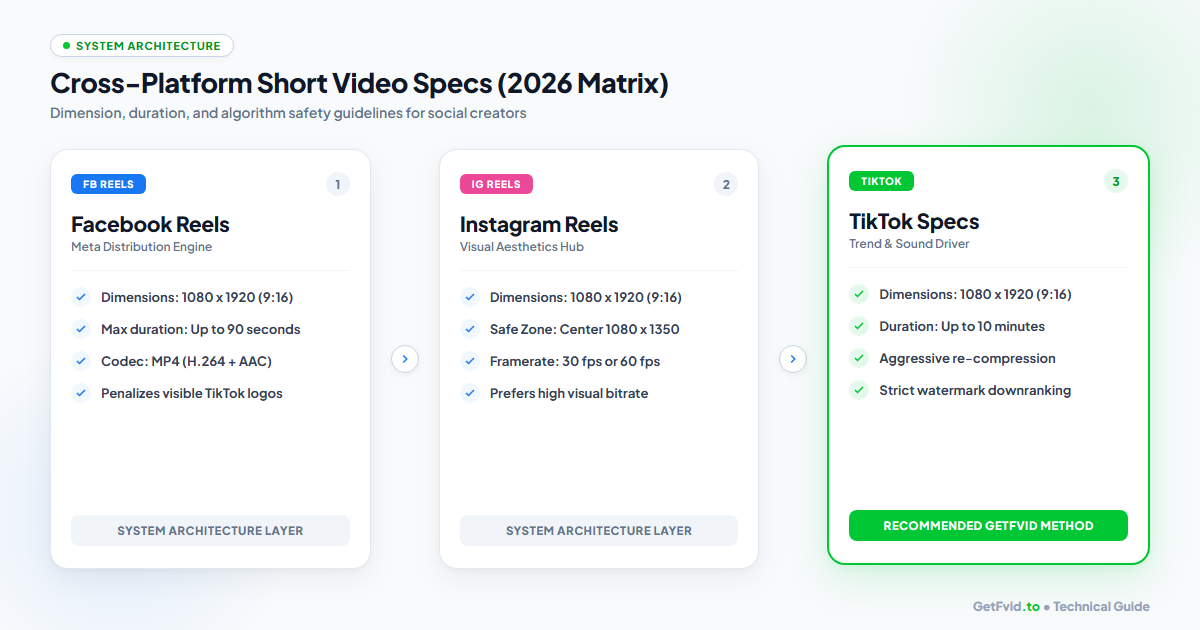
| Specification Parameter | Facebook Reels | Instagram Reels | TikTok |
|---|---|---|---|
| Native Aspect Ratio | 9:16 (Vertical) | 9:16 (Vertical) | 9:16 (Vertical) |
| Recommended Resolution | 1080 x 1920 px | 1080 x 1920 px | 1080 x 1920 px |
| Minimum Resolution | 720 x 1280 px | 720 x 1280 px | 720 x 1280 px |
| Frame Rates Supported | 30 fps, 60 fps | 30 fps, 60 fps | 24, 30, 60 fps |
| Max Video Duration | 90 seconds (standard) | 90 seconds (standard) | Up to 10 minutes |
| Target Video Bitrate | 4,500 - 7,500 kbps | 5,000 - 8,000 kbps | 3,500 - 6,000 kbps |
| Audio Format & Bitrate | AAC 128 - 256 kbps | AAC 128 - 256 kbps | AAC 128 - 192 kbps |
| File Container Format | MP4, MOV | MP4, MOV | MP4, MOV, WebM |
| Max File Upload Size | 4 GB | 4 GB | 500 MB (app) / 2 GB (web) |
| Watermark Penalty | Severe Downranking | Severe Downranking | Extreme Penalty |
Platform-by-Platform Architectural Deep Dive
1. Facebook Reels: Meta's Viral Discovery Engine
- The Transcoding Pipeline: Facebook aggressively compresses video upon upload to ensure fast loading on variable mobile networks. Videos uploaded with excessive bitrates (e.g., raw 4K at 80 Mbps) often get severely compressed, resulting in macroblocking artifacts.
- Algorithm Specifics: Facebook’s recommendation algorithm heavily favors retention rate and shares. If your video contains a visible TikTok watermark or an Instagram handle badge, Meta’s computer vision classifiers immediately flag it as recycled content, severely throttling organic distribution outside your immediate follower base.
- Clean File Strategy: If your master video was uploaded to Facebook, always retrieve the clean 1080p source file using GetFvid Reels Downloader before cross-posting to other platforms. Read our walkthrough on How to Download Facebook Reels Without Watermark.
2. Instagram Reels: Aesthetic & High Bitrate Focus
- Visual Standards: Instagram's audience expects higher visual fidelity. The Instagram video engine utilizes higher bitrate allocations for Reels than Facebook, especially on profile grid previews.
- Safe Zone Nuance: Unlike Facebook, Instagram displays Reels in two distinct feed contexts:
- Reels Tab: Full 9:16 vertical view (
1080x1920). - Main Profile Grid: Cropped to a 1:1 square (
1080x1080) or 4:5 portrait (1080x1350). - Crucial Rule: Keep text, logos, and faces centered within the middle 1080x1080 box so the thumbnail looks clean on your Instagram profile grid!
- Reels Tab: Full 9:16 vertical view (
3. TikTok: Audio & Trend Dominance
- Duration Advantage: While Facebook and Instagram focus primarily on fast 15-to-90-second clips, TikTok has expanded into long-form vertical content up to 10 minutes.
- Aggressive Compression: TikTok has the most aggressive re-compression algorithm among the three. Submitting an already compressed video file to TikTok causes double-compression degradation.
- Watermark Detection: TikTok’s automated moderation systems actively detect third-party platform logos. Cross-posting a video with a Meta or CapCut ending logo often results in zero algorithmic views.
The Universal Safe Zone Blueprint (Pixel Accurate)
One of the most frequent mistakes made by video editors is placing critical text captions, subtitles, or brand logos in the "dead zones" of the phone screen where platform UI elements obscure them.
┌──────────────────────────────────────────────┐ 0px (Top)
│   TOP DEAD ZONE (Avoid Text)                │
│   (Status Bar, Header Icons, Search)         │ 220px
├──────────────────────────────────────────────┤
│                                              │
│                                              │
│                                              │
│                                              │
│            UNIVERSAL SAFE ZONE               │
│         1080 x 1350 Center Box               │
│    (Keep captions, logos & hooks here)       │
│                                              │
│                                              │
│                                              │
├──────────────────────────────────────────────┤ 1570px
│   BOTTOM DEAD ZONE (Avoid Text)              │
│   (Username, Caption Text, Sound Title,      │
│    Like, Comment, Share Action Icons)        │ 1920px (Bottom)
└──────────────────────────────────────────────┘
The Rules of the Safe Zone:
- Top Margin (0 to 220 px): Keep clear of text. This area is covered by smartphone notch displays, battery status bars, and the top search icon.
- Bottom Margin (1570 to 1920 px): Avoid placing lower-third graphics or subtitles here. The account username, audio track title, and video caption occupy this zone.
- Right Margin (940 to 1080 px): Avoid the right edge in the bottom half; this is where the Like, Comment, Bookmark, and Share buttons sit.
- The Safe Sweet Spot: Keep all vital captions, visual punchlines, and call-to-action graphics within the center 1080 x 1350 pixel rectangle.
Step-by-Step: How to Cross-Post Master Reels Without Watermarks
To build an efficient cross-platform syndication pipeline, follow this professional workflow:
Step 1: Export Your Project from Video Editing Software
Whether you edit in CapCut, Adobe Premiere Pro, DaVinci Resolve, or Final Cut Pro:
- Resolution:
1080 x 1920(Vertical 9:16) - Frame Rate:
30 fps(or60 fpsfor gaming/dance) - Bitrate Encoding: VBR 2-Pass or Target Bitrate at 12 Mbps to 16 Mbps
- Audio: AAC, Stereo, 48 kHz, 320 kbps
Step 2: Extract Clean Masters When Repurposing
If you or your client published a Reel to Facebook and lost the original local export, do not record your phone screen!
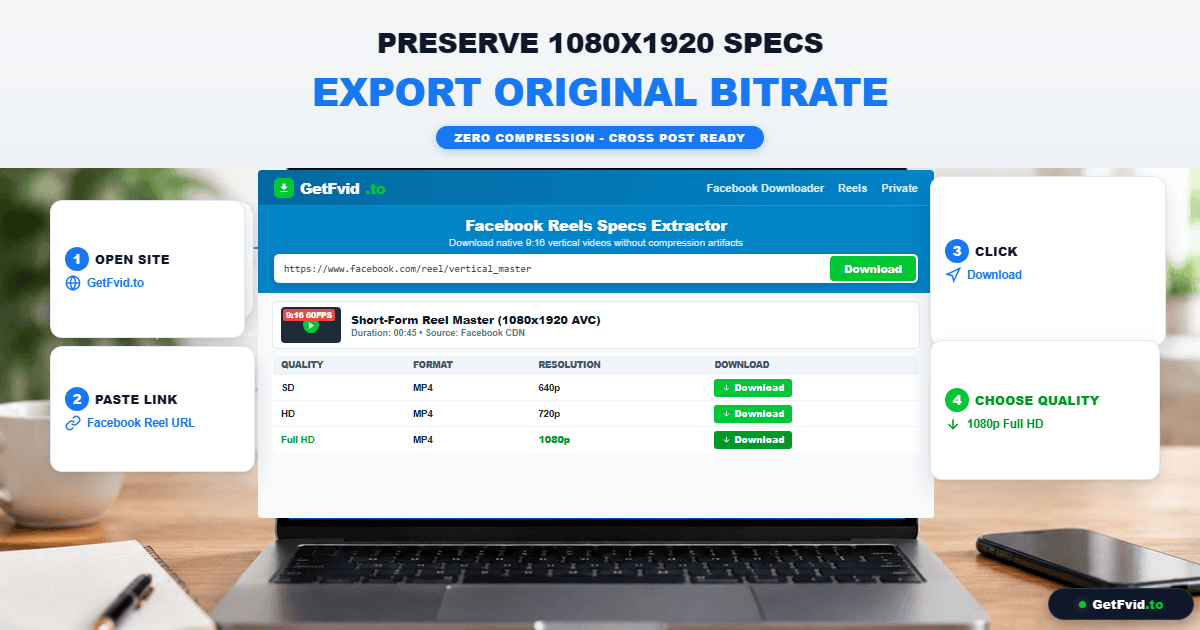
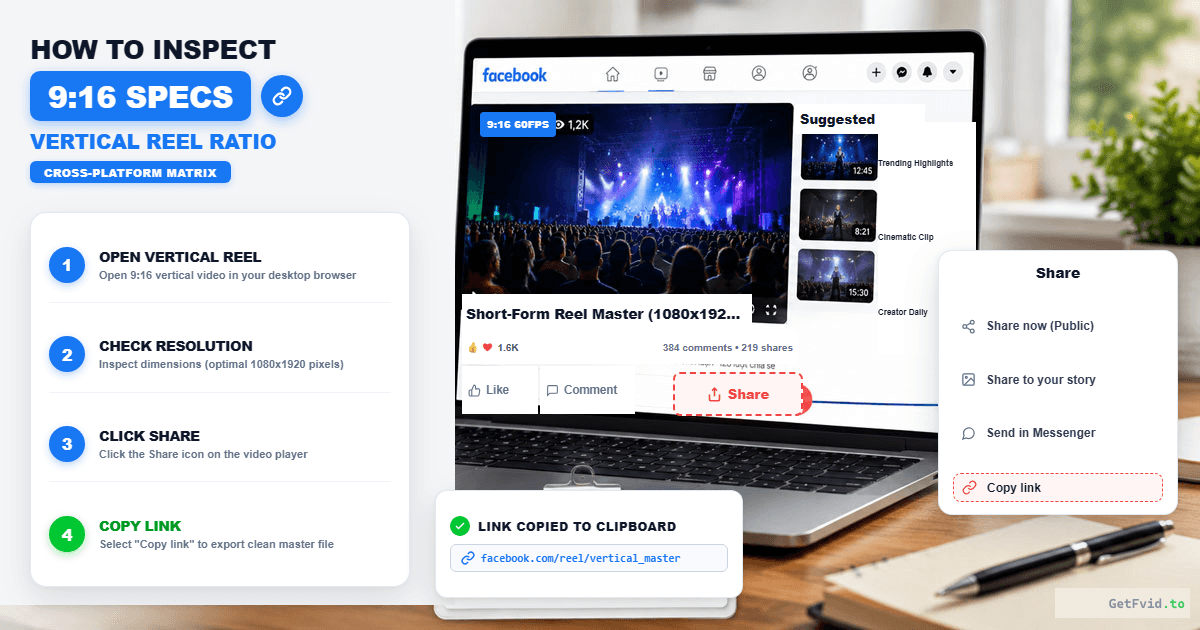
- Open the Reel on Facebook, tap Share, and tap Copy Link.
- Visit GetFvid Facebook Reels Downloader.
- Paste the URL and click Download.
- Save the 1080p Full HD MP4. This file is a 100% clean, watermark-free digital clone of the original upload, with synchronized stereo audio and zero UI clutter.
- If you are on an iPhone, save it directly to your Photos library using our Safari to iPhone Camera Roll Workflow.
Step 3: Re-Attach Native Trending Sounds
When uploading your clean MP4 to TikTok or Instagram:
- Lower the video’s native volume to zero or 10% in the app.
- Search for the official trending audio clip natively inside TikTok or Instagram and set it as the background sound.
- This hooks your video directly into the platform's trending sound recommendation algorithm while maintaining your pristine visuals.
Audio Specifications: Bitrates, Sampling Rates & Loudness
Audio is responsible for 50% of the viewer retention on vertical video. If your audio is distorted or quiet, viewers scroll within 1.5 seconds.
- Target Loudness: Master your dialogue to -14 LUFS to -16 LUFS (Integrated Loudness) with true peak ceilings at -1.0 dBFS. Meta and TikTok will normalize audio that exceeds these thresholds, causing distortion.
- Audio Sampling Rate: Always export at 48,000 Hz (48 kHz). Using older 44.1 kHz CD audio sampling often leads to subtle audio drift and lip-sync mismatch over 60-second clips.
- If you need to isolate or reuse speech from a Facebook Reel, use GetFvid’s dedicated feature: How to Extract Audio & MP3 from Facebook Videos.
4 Common Formatting Mistakes That Kill Organic Reach
1. Uploading Horizontal (16:9) Video with Black Bars
Letterboxed widescreen videos uploaded to vertical feeds look amateurish and occupy less than 35% of the smartphone display. Always re-frame or crop your footage into vertical 9:16.
2. Exporting at Excessively High 4K Bitrates
Exporting at 80 Mbps 4K for a vertical Reel triggers automated platform downscaling. The aggressive compression applied by social servers will make an 80 Mbps file look worse than a file cleanly exported at 12 Mbps 1080p. For full technical details, read our Facebook Video Resolution & Bitrate Guide.
3. Leaving Third-Party Video Editor Logos
The CapCut ending card ("CapCut" animated logo) or InShot watermark will immediately trigger algorithmic penalties on Facebook and TikTok. Always trim or disable the automated outro before uploading.
4. Relying on Single Platform Storage
Never treat social platforms as your personal archive. Meta accounts can be flagged, hacked, or banned overnight. Always maintain local backups using the Creator 3-2-1 Archival Strategy.
Frequently Asked Questions (FAQ)
Can I post the exact same Reel file to Facebook, TikTok, and Instagram?
Yes, as long as the file is a clean 1080x1920 MP4 without platform watermarks, has captions positioned inside the center 1080x1350 safe zone, and does not contain copyrighted audio that is blocked on one specific platform.
What is the maximum duration for Facebook Reels in 2026?
The standard duration for Facebook Reels is up to 90 seconds. While some enterprise accounts have access to longer test limits, 15 to 60 seconds remains the algorithmic sweet spot for completion rate and viral reach.
Why does my Reel look blurry immediately after uploading?
When you first publish a Reel, Facebook serves a low-resolution 360p or 480p preview while background servers transcode the 1080p HD rendition. It typically takes 2 to 5 minutes for the crisp Full HD stream to become active.
How do I remove watermarks from a Facebook Reel I already posted?
You don't need complicated video retouching software to blur the watermark. Simply copy the post link and paste it into GetFvid Reels Downloader. GetFvid downloads the raw CDN stream which never had an on-screen watermark in the first place!
Can I bulk download multiple Reels to archive my channel?
Yes. Use our Facebook Bulk Downloader to paste up to 10 Reel URLs simultaneously and save them in a consolidated ZIP file. Read our complete guide: How to Bulk Download Facebook Videos & Reels.
Download Facebook Videos in High Quality Now
Paste your Facebook video link into GetFvid to download to your device in 1080p Full HD, 100% free.