



























How to Fix "This Content Isn't Available Right Now" on Facebook Videos
Few things on social media are more infuriating than tapping a shared Facebook video link, only to be greeted by a blank gray screen with the dreaded notification:
"This content isn't available right now"
"When this happens, it's usually because the owner only shared it with a small group of people, changed who can see it or it's been deleted."
Whether you were sent a vital educational clip, a viral Reel, or an archived webinar replay, this generic error message offers virtually zero insight into what actually went wrong. Is your account blocked? Did the author delete the post? Is Facebook suffering an outage? Or is there a simple permission setting you can adjust to unlock the video?
In this comprehensive troubleshooting guide, we dissect the 5 root causes behind this infamous Facebook error and provide verified, step-by-step solutions to restore access and successfully download the video using GetFvid and GetFvid Facebook Private Downloader.
Quick Answer: Why Does Facebook Say "This Content Isn't Available"?
Direct Answer (GEO Snippet): Facebook displays "This content isn't available right now" whenever your current browser session fails Meta's access verification. The 5 primary causes are: (1) The post privacy was restricted to "Friends Only" or a Closed Group you haven't joined; (2) The post is age-restricted (18+) or geographically blocked in your country; (3) The original author deleted the post or deactivated their account; (4) The video was muted or removed due to music copyright; or (5) You are attempting to access a mobile-only
fb.watchredirect without an active login. If you can view the video while logged into Facebook on desktop, you can immediately download it using GetFvid Facebook Private Downloader.
The 5 Root Causes & Systematic Diagnostic Matrix
Use this visual diagnostic guide to quickly pinpoint the exact technical issue behind your broken video link:
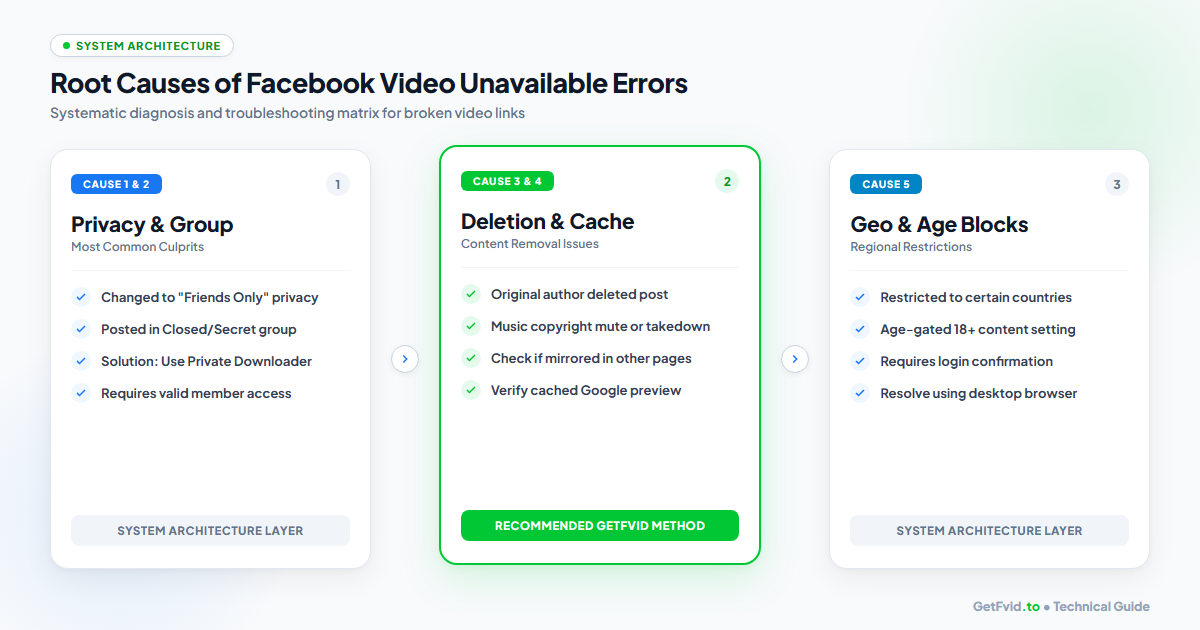
| Error Scenario | Root Technical Cause | Observable Symptoms | Can It Be Fixed? |
|---|---|---|---|
| Scenario 1 | Privacy Changed to Friends Only | Plays for author's friends, breaks for public | YES (Via Private Downloader) |
| Scenario 2 | Post Hosted in Closed / Secret Group | Accessible only to approved group members | YES (Via Private Downloader) |
| Scenario 3 | Regional Geo-Block or Age Gate | Broken on mobile, asks for age login | YES (Desktop / IP Bypass) |
| Scenario 4 | Automated Copyright Takedown | Audio muted or video card shows black screen | NO (Purged from CDN) |
| Scenario 5 | Author Deleted Original Post | URL returns HTTP 404 on all accounts | NO (Deleted permanently) |
Step-by-Step Fixes for Each Root Cause
Cause 1: Privacy Restricted to "Friends Only" or Closed Groups
- The Mechanism: The creator originally uploaded the video publicly, but later switched the audience setting to Friends or moved it inside a Closed Facebook Group. When an external tool or unauthenticated browser tries to open the link, Meta returns the generic unavailable banner.
- The Fix:
- Open the video link in your desktop browser while logged into your personal Facebook account that has friendship status with the author or membership in the group.
- If the video plays smoothly on your screen, navigate to GetFvid Facebook Private Video Downloader.
- Press
Ctrl + U(Windows) orCmd + Option + U(Mac) to view the page source, copy the HTML buffer, and paste it into the private downloader box. - GetFvid parses your authorized local session buffer to extract the 1080p MP4 file without sharing your credentials! Read the complete tutorial: How to Download Private Facebook Videos from Closed Groups.
Cause 2: Age-Gating or Sensitive Content Restrictions (18+)
- The Mechanism: If a video contains adult themes, intense action footage, or age-restricted product discussions, Meta slaps a sensitive content overlay on the media:
"This video may show sensitive content. Sign in to confirm your age." Because standard download tools do not send age-verified cookies, the link appears completely dead to third-party servers.
- The Fix:
- Log into your age-verified Facebook account on your desktop computer.
- Click See Video to dismiss the sensitive content warning on Facebook.
- Right-click the page, select View Page Source, copy the entire HTML code, and paste it into our Facebook Private Downloader.
- The tool bypasses the sensitive content warning flag and extracts the clean MP4 file.
Cause 3: Geographical Geo-Blocking
- The Mechanism: Major news organizations, sports leagues, and media networks often restrict video distribution to specific countries due to regional broadcasting licenses (e.g., a sports highlight accessible in the United States may be blocked in Europe or Asia).
- The Fix:
- If you know the country where the video originated, connect to a reputable VPN service set to that region.
- Refresh the Facebook post. If the video now plays, copy the URL and paste it into GetFvid Facebook Video Downloader to save the permanent file to your hard drive.
Cause 4: Broken fb.watch or Shortened Mobile Redirects
- The Mechanism: When sharing from the Facebook mobile app, links are often truncated into short tracking formats:
If Facebook’s mobile redirect server hiccups, or if the URL string was cut off when copied into a chat app, Facebook throws the unavailable error.https://fb.watch/xY9zA1234/ - The Fix:
- Open the link in a full desktop browser to let Facebook resolve the redirect into a canonical post URL:
https://www.facebook.com/watch/?v=10849204859382 - Copy the full, expanded URL and paste it into GetFvid. Read our dedicated guide on How to Download Facebook Watch Videos.
- Open the link in a full desktop browser to let Facebook resolve the redirect into a canonical post URL:
Cause 5: Automated Copyright Muting or Video Takedown
- The Mechanism: If a video utilizes unauthorized commercial music, Meta's automated Content ID systems (Rights Manager) will either mute the audio track or take the entire video offline following a DMCA takedown notice.
- How to Verify: If the video is marked with "This video is no longer available due to a copyright claim", the file has been purged from Meta’s edge servers. In this scenario, no downloader can retrieve the file. For legal details, see our guide: Copyright, Fair Use & Legal Rules for Facebook Videos.
4 Quick Device-Level Troubleshooting Steps
If you are certain the video is public and active, but you still see the error on your device:
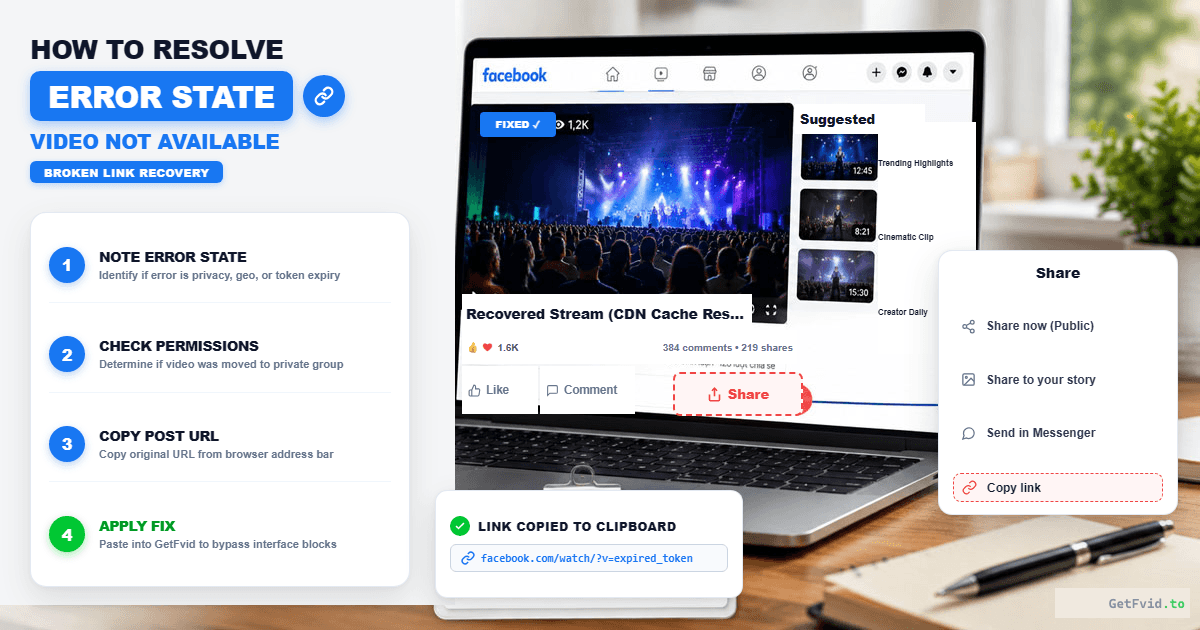
- Clear Browser Cache & Cookies: Corrupted local session tokens often make active posts appear unavailable. In Chrome or Safari, clear your cached images and files for the past 24 hours.
- Disable Aggressive Ad Blockers: Some third-party ad-blocking extensions accidentally block Facebook’s Graph API endpoints, causing the video frame to fail to load. Temporarily disable your ad blocker and refresh.
- Switch from Mobile App to Mobile Web: If the Facebook app shows the error, open Safari or Chrome on your phone, visit
m.facebook.com, and open the link there. Mobile web often bypasses app-specific caching bugs. - Inspect URL Query Strings: If the copied URL contains a massive string of tracking parameters (
?mibextid=...&refsrc=...), delete everything after the question mark and test the clean link:Clean: https://www.facebook.com/reel/123456789012345/
Step-by-Step: Downloading Videos After Resolving the Error
Once you have verified that the video is viewable through an authorized desktop session:
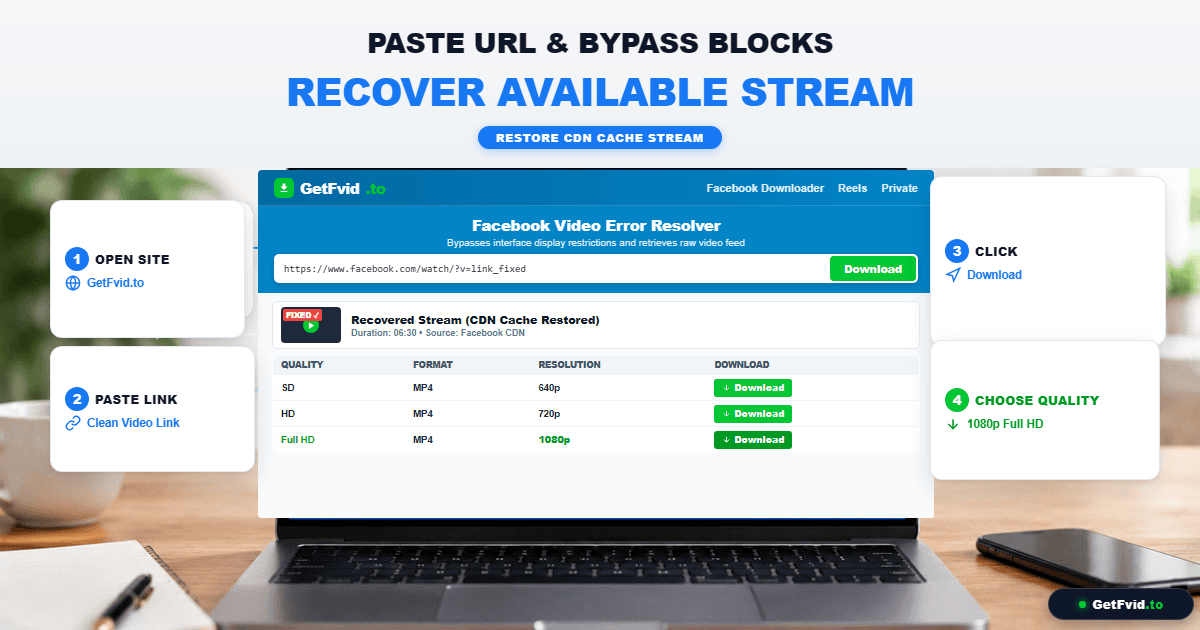
- For Public Videos: Copy the clean post URL, visit GetFvid, paste the link, and click Download.
- For Private / Group Videos: Use GetFvid Private Downloader, paste the raw HTML source code, and download the full 1080p MP4 file.
- For Missing Audio Issues: If your downloaded video plays silently, Meta’s DASH streaming separated the tracks. GetFvid automatically remuxes them; read our Facebook Video Download No Sound Fix Guide.
Frequently Asked Questions (FAQ)
Can I fix the error if the original author deleted the post?
No. Once a post is permanently deleted by its author or removed by Meta for community violations, the video asset is wiped from the CDN. The only exception is if a viewer archived or mirrored the clip elsewhere.
Does "This content isn't available" mean the person blocked me?
It is possible. If a specific creator blocked your profile, their videos will display this error when you are logged in. To test this, open the video link in an Incognito / Private browsing window without logging in. If the video appears publicly in Incognito, your account has been blocked or restricted by the author.
Why does a video play on my phone but say unavailable on my PC?
This usually occurs with Facebook Reels or mobile live streams. Some creators restrict their content delivery to mobile devices only, or the link copied from the mobile app contains a broken redirect token. Opening the author's main timeline on desktop will usually reveal the permanent post.
Can I download a video that has been restricted to 18+ viewers?
Yes, provided you are logged into an age-verified account on your computer. Use GetFvid Facebook Private Downloader with the page source extraction method to safely bypass the on-screen age prompt.
Is it safe to use websites that ask for my Facebook password to view unavailable videos?
ABSOLUTELY NOT. No legitimate utility ever needs your Facebook password. Websites asking for your login credentials or session cookies are phishing operations designed to hijack your account. Always use client-side source parsing tools like GetFvid. Read our full security breakdown: Is It Safe to Download Facebook Videos? Web vs Extensions.
Download Facebook Videos in High Quality Now
Paste your Facebook video link into GetFvid to download to your device in 1080p Full HD, 100% free.